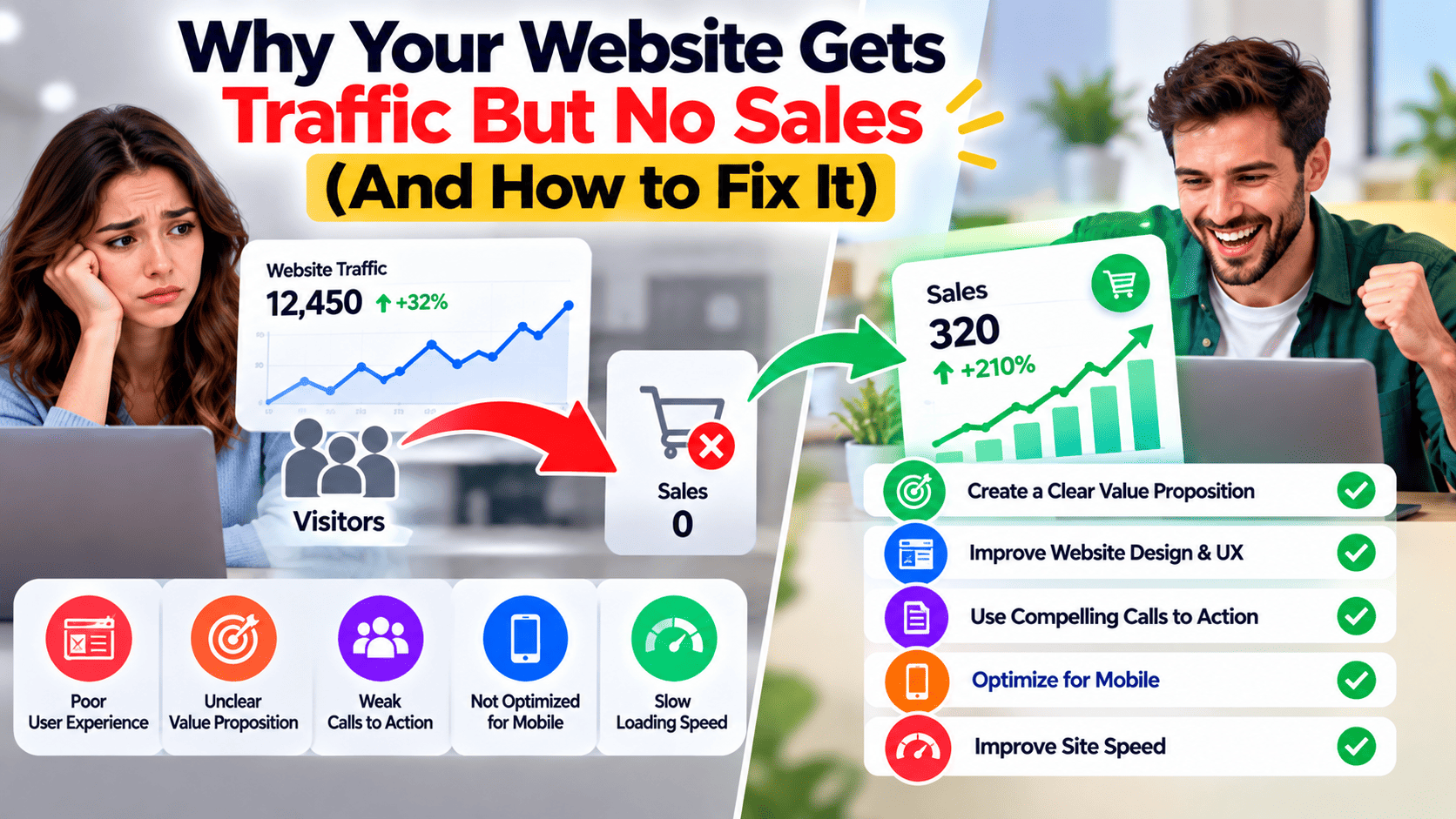
Why Your Website Gets Traffic But No Sales (And How to Fix It)
You check your analytics and the numbers look healthy. Visitors are coming in. Pageviews are climbing. But the orders, enquiries and bookings? Barely a trickle.
Frustrating, right? It’s also one of the most common problems we see in digital marketing. The good news: website traffic but no sales is usually a conversion problem, not a traffic problem. And conversion problems can be fixed.
Let’s walk through the usual suspects.
1. You’re Attracting the Wrong Visitors
Not all traffic is equal. Ten thousand visitors who were never going to buy are worth less than a hundred who were.
This happens a lot when SEO content ranks for broad, curiosity-driven keywords. Someone searching “what is a CRM” probably isn’t ready to buy CRM software. The same goes for paid advertising: if your Google Ads or Meta Ads target loose audiences, you pay for clicks that never turn into lead generation.
The fix: Target keywords with buying intent (think “pricing”, “best”, “near me”, “services”). Tighten your ad targeting and make sure your organic traffic strategy matches what you actually sell.
2. Your Message Isn’t Clear
Visitors give your homepage a few seconds. If they can’t quickly tell what you do, who it’s for and why it’s better, they leave.
Vague headlines like “Innovative Solutions for Tomorrow” tell people nothing. Say what you do in plain language.
The fix: Put a clear headline and subheading at the top of key pages. Answer three questions fast: What is this? Is it for me? What do I do next?
3. Your Call to Action Is Weak (or Missing)
Many sites simply don’t ask for the sale. Or they ask too quietly, with a tiny “Submit” button buried at the bottom.
Your call to action should be obvious, specific and benefit-driven. “Get Your Free Quote” works better than “Click Here”.
The fix: Place a clear CTA above the fold and repeat it down the page. This is a core part of landing page optimisation: one main action per page keeps things simple.
4. Your Website Is Slow or Hard to Use
People are impatient. A slow page, a confusing menu or a layout that breaks on mobile pushes visitors away. Google has long said page experience matters, and plenty of studies link slower load times with higher bounce rates, though exact figures vary.
Since most traffic now comes from phones, mobile usability matters a great deal.
The fix: Test your site speed with Google PageSpeed Insights. Compress images, simplify navigation and check every key page on a real phone, not just a desktop browser.
5. There’s No Trust
Would you hand over your card details to a site that looks neglected? Neither would your visitors.
Customers look for signs that you’re real and reliable: reviews, testimonials, case studies, clear contact details, secure checkout and a professional look. When these are missing, hesitation wins.
The fix: Add genuine reviews, client logos, guarantees and an easy-to-find contact page. Display security badges near payment forms.
6. Your Pricing or Offer Is Unclear
If visitors can’t work out what something costs or what’s included, many won’t bother asking. Hidden costs, like shipping fees that appear only at checkout, are a well-known reason for abandoned carts.
The fix: Be upfront. Show pricing, or at least price ranges. Explain what’s included, and spell out shipping, returns and timelines early.
7. Your Checkout or Form Is Too Difficult
You’ve convinced someone to buy, and then your process loses them. Forced account creation, long forms and limited payment options all increase checkout abandonment.
The fix: Offer guest checkout, cut unnecessary fields and support popular payment methods. For lead forms, ask only what you really need. Name and email often beat a ten-field form.
8. You’re Not Following Up
Not every visitor buys on the first visit. Some need time, or a gentle nudge. Most customers move through a marketing funnel, from awareness to consideration to decision, and your website only catches some of them at the final stage.
Without retargeting, email marketing or content marketing to stay in touch, you lose people who were genuinely interested.
The fix: Offer a lead magnet or newsletter signup, set up abandoned cart emails and run retargeting ads (through PPC platforms like Google Ads or Meta Ads) to bring visitors back.
9. You’re Guessing Instead of Measuring
Many businesses don’t know where visitors drop off. Without data, you’re just making changes and hoping.
Tools like GA4, heatmaps and session recordings show where people click, scroll and leave. Look for pages with high exit rates, and map the customer journey to see where users abandon the process.
The fix: Set up conversion tracking properly in GA4. Then practise conversion rate optimisation (CRO): test one change at a time, such as a headline, button or form layout, and compare the results. Tracking ROI by channel also shows where your marketing budget works hardest.
Quick Checklist
Before your next marketing push, ask yourself:
- Are we attracting visitors who actually want what we sell?
- Is our value clear within a few seconds?
- Is there an obvious call to action on every key page?
- Does the site load fast and work well on mobile?
- Do we show trust signals and clear pricing?
- Is checkout or the enquiry form easy?
- Are we tracking and testing what works?
Final Thoughts
More traffic rarely fixes a leaky website. Plug the leaks first, then scale up. Even small improvements to your conversion rate can make your existing traffic far more valuable, and a joined-up digital marketing strategy keeps SEO, ads and your website pulling in the same direction.
Not Sure Where Your Website Is Losing Customers?
At Eaglemount Technologies, we’re a digital marketing agency that reviews your website, analytics and user journey to find exactly where visitors drop off, then helps fix it with practical, data-backed changes.